Core features
Everything shown in the app screenshots, organized for a premium landing page.
Use this section to clearly explain what VoxLab Creator does before users install, subscribe, or contact support.
🎙️
Smart Voice Analysis
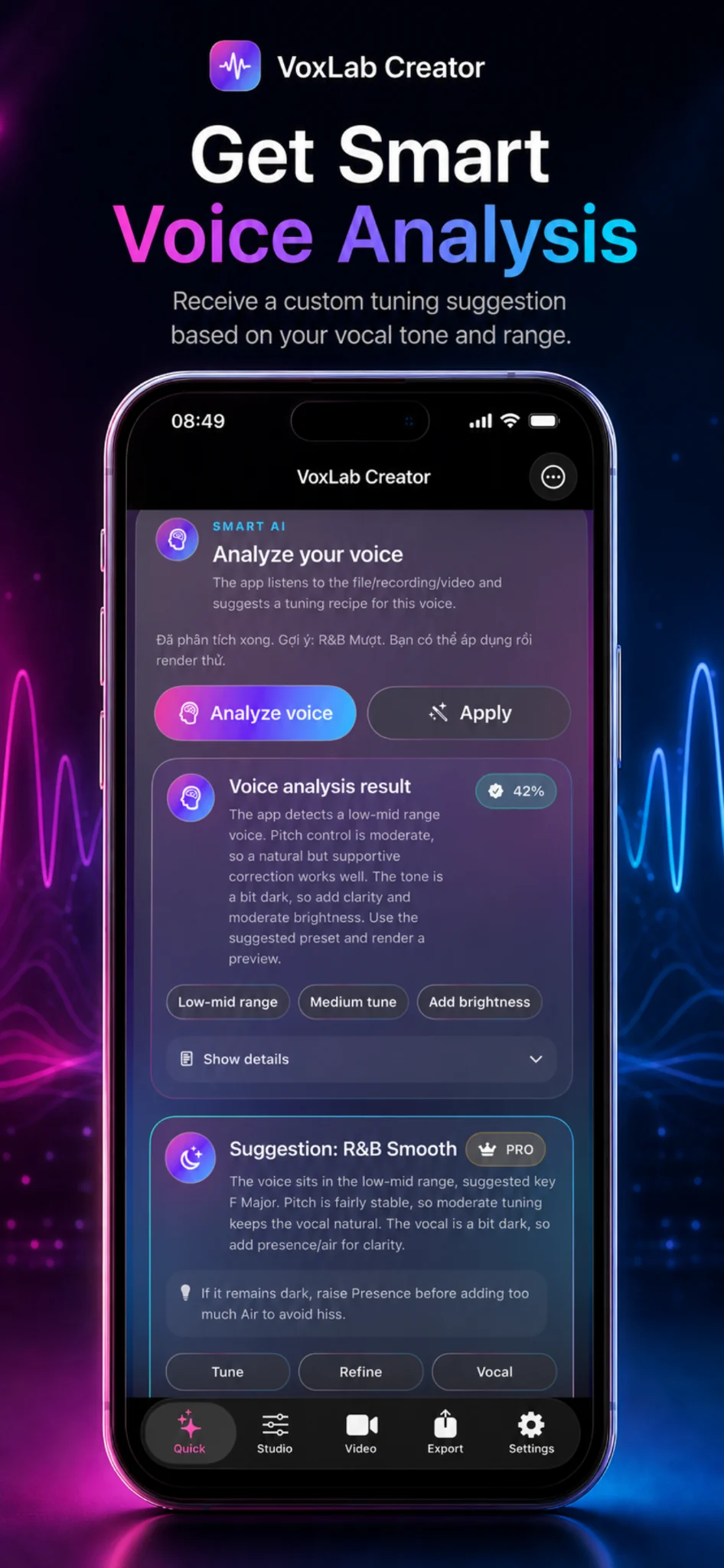
Analyze a file, recording, or video and receive a custom tuning suggestion based on vocal tone, pitch range, and overall character.
- Detect low-mid, bright, dark, stable, or uneven vocal tone
- Suggest tuning recipes such as R&B Smooth
- Show result tags like medium tune or add brightness
✨
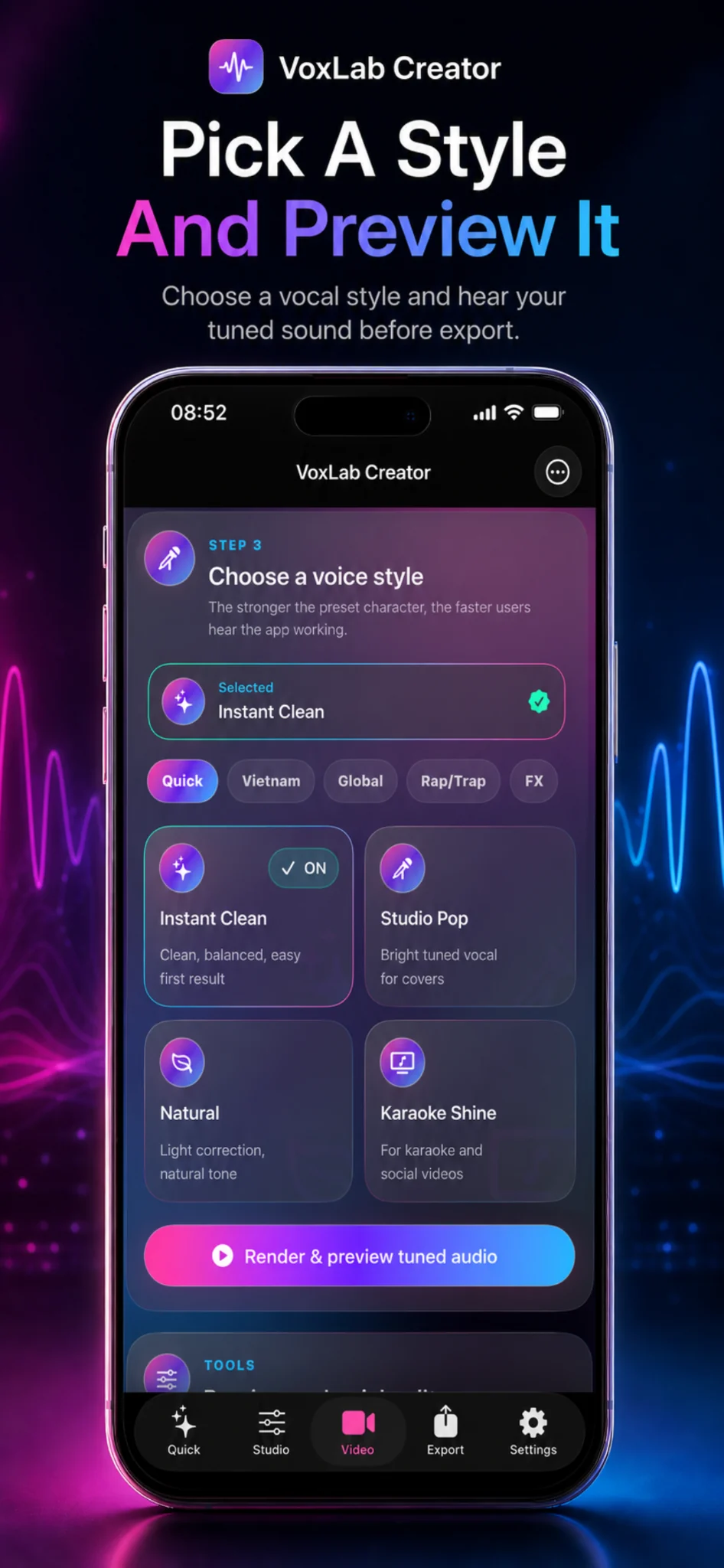
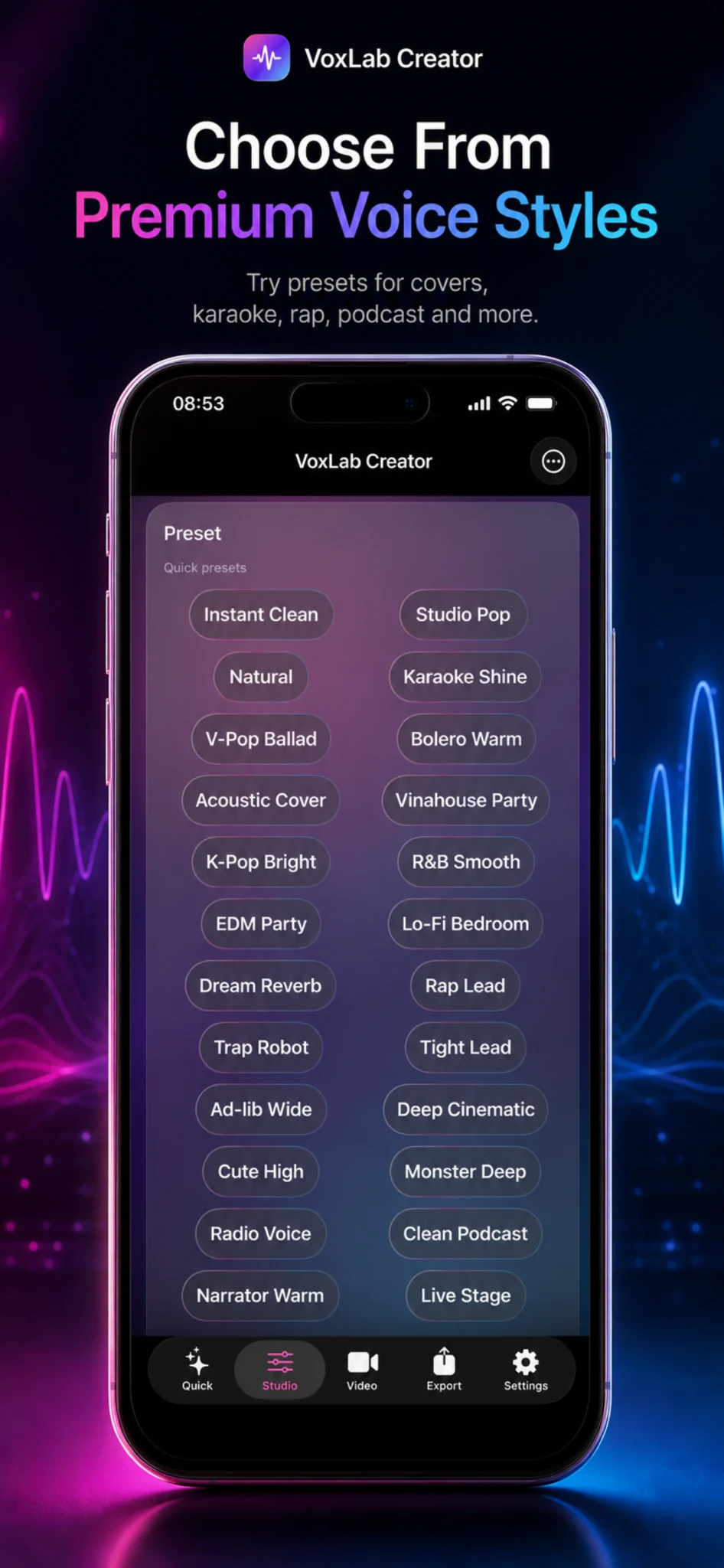
Premium Voice Styles
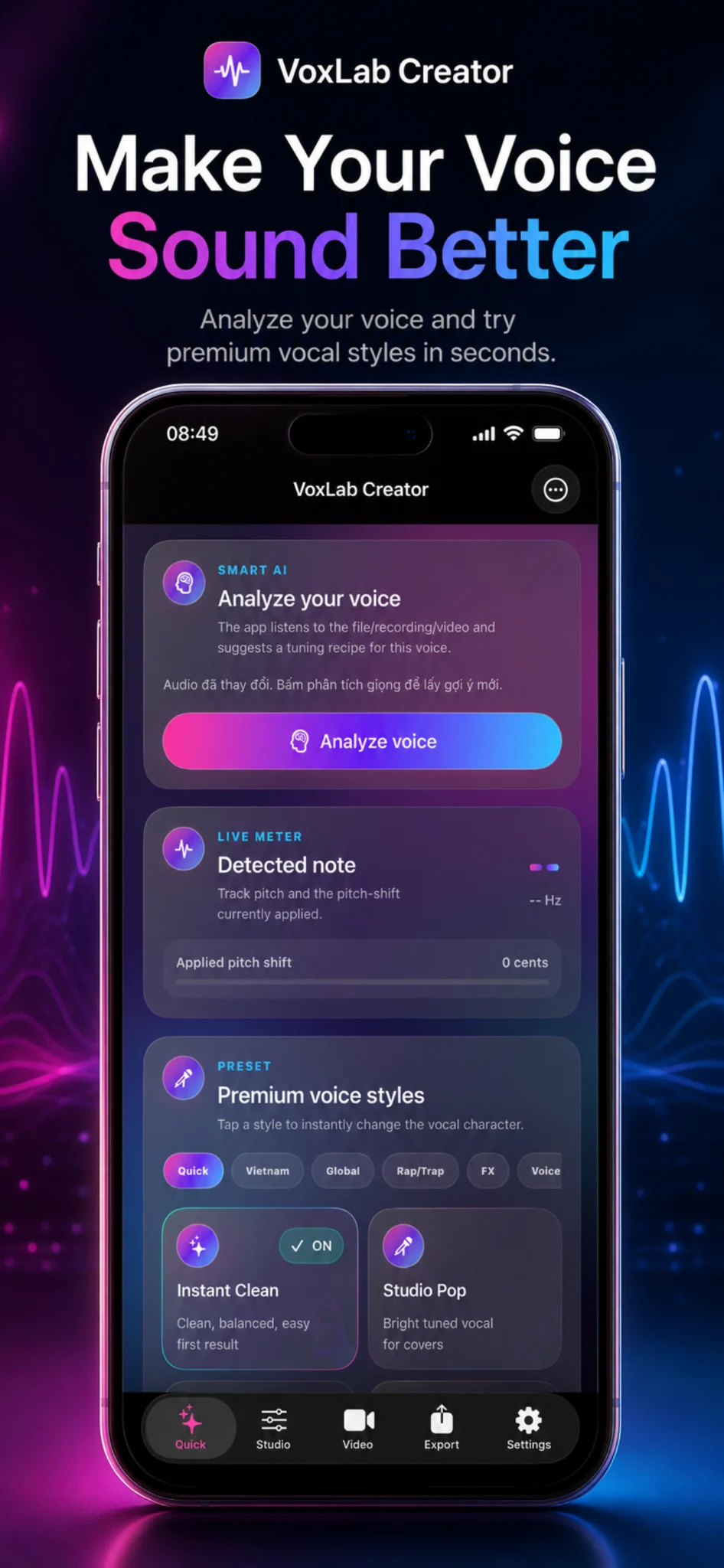
Choose from polished vocal presets for covers, karaoke, rap, podcast, pop vocals, V-pop, K-pop, EDM, Lo-Fi, and more.
- Quick, Vietnam, Global, Rap/Trap, FX, and Voice categories
- Instant Clean, Studio Pop, Natural, Karaoke Shine
- Preview the tuned result before exporting
🎚️
Live Pitch Meter
Track detected note, pitch shift, cents, and applied tuning so creators understand how the vocal is being adjusted.
- Detected note and live meter area
- Applied pitch shift readout
- Helpful feedback for tuning decisions
🎛️
Vocal Split, Remix Balance & Limiter
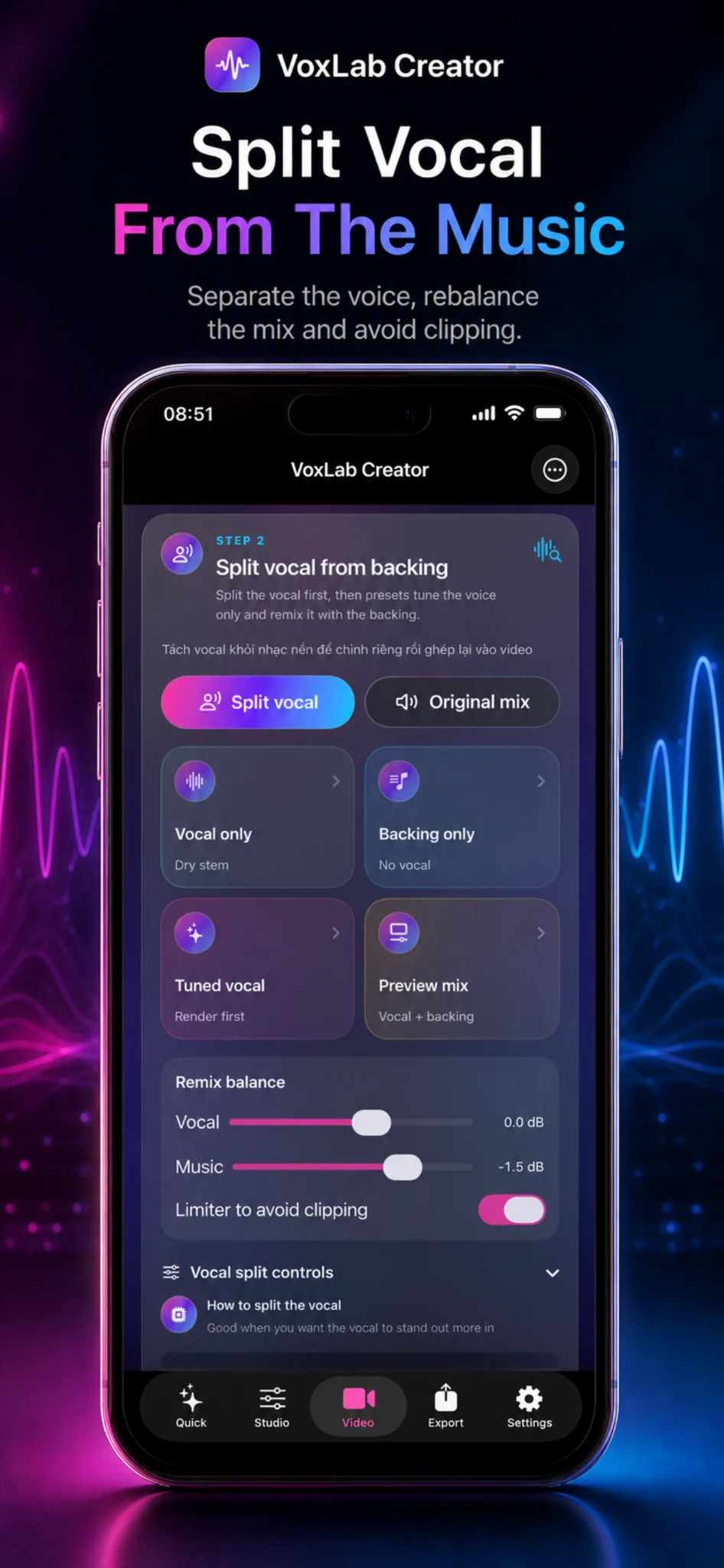
Separate the vocal from the backing track, audition vocal-only or backing-only stems, build a preview mix, then rebalance vocal and music volume while avoiding clipping.
- Split vocal from backing music
- Vocal only, backing only, tuned vocal, and preview mix panels
- Vocal and music sliders with limiter protection
🧠
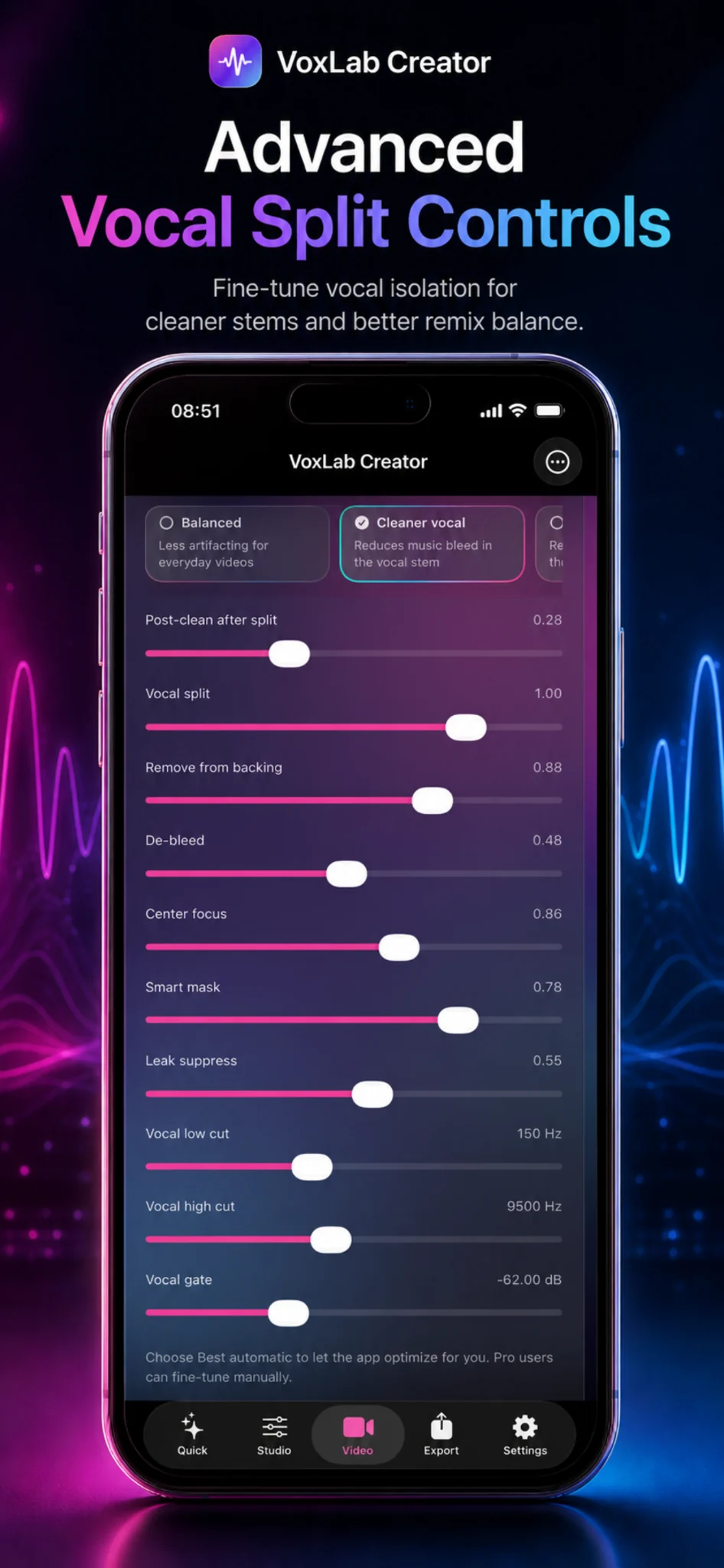
Advanced Split Controls
Fine-tune vocal isolation for cleaner stems and better remix balance with detailed Pro controls.
- Post-clean, vocal split, remove from backing
- De-bleed, center focus, smart mask, leak suppress
- Low cut, high cut, vocal gate, cleaner vocal mode
✂️
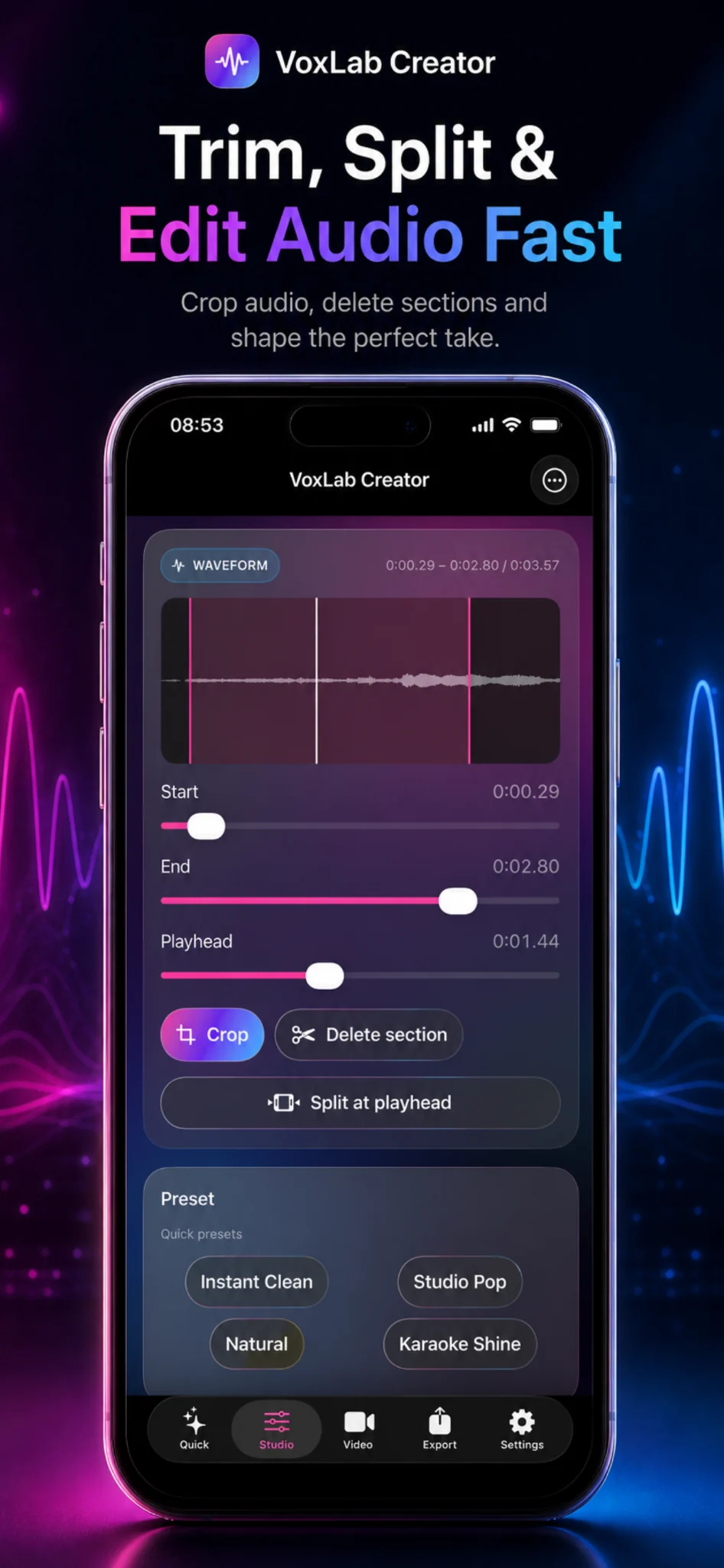
Waveform Editor
Trim, split, and edit audio quickly from a visual waveform with start, end, and playhead controls.
- Crop audio to the best section
- Delete unwanted parts
- Split at playhead for fast edits
🔁
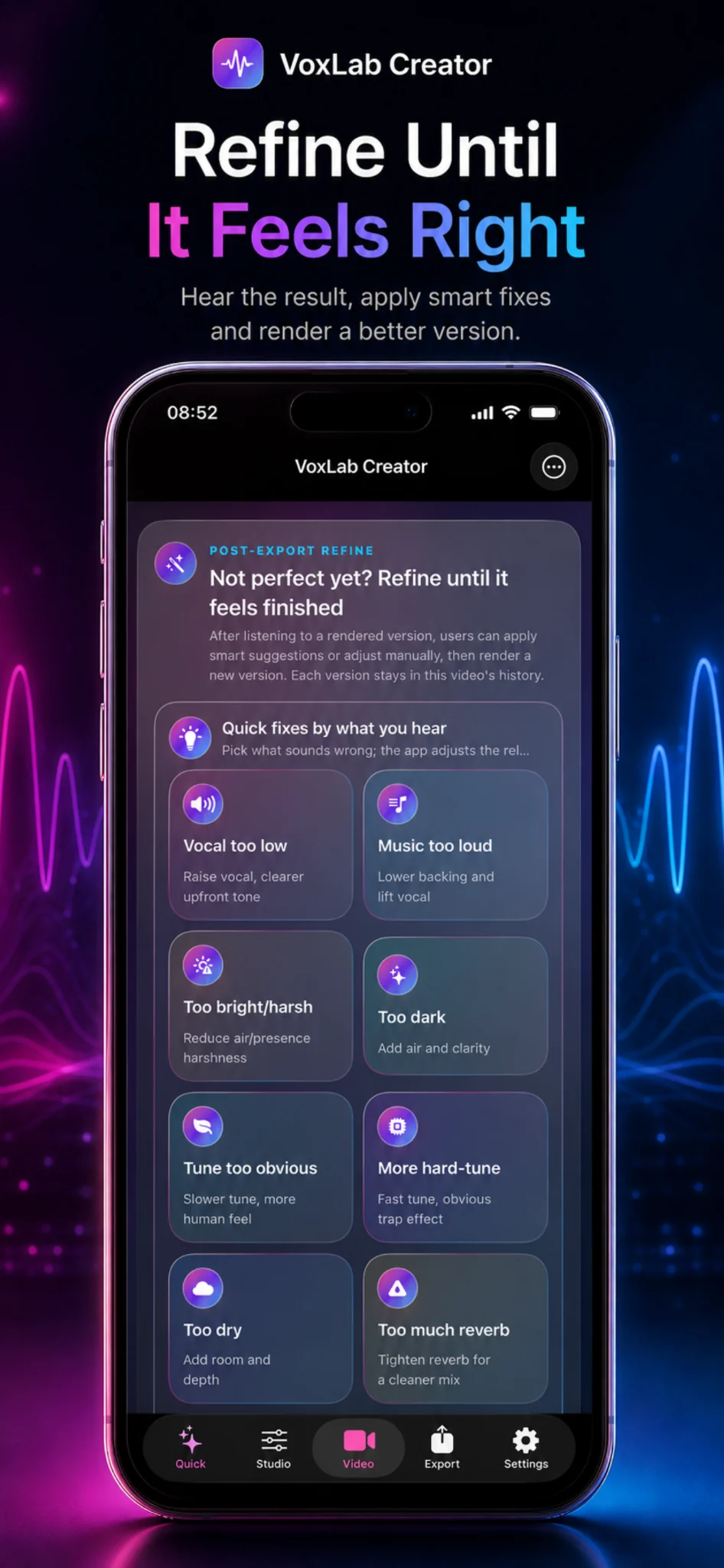
Post-Export Refine
After hearing a rendered version, choose quick fixes by what sounds wrong and render a cleaner version.
- Vocal too low, music too loud, too bright, too dark
- Tune too obvious, more hard-tune, too dry, too much reverb
- Keep improving until the take feels finished
🚀
Creator Workflow
Move between Quick, Studio, Video, Export, and Settings tabs for a complete creation flow.
- Fast AI-assisted Quick mode
- Studio editing and preset selection
- Video, export, and settings tools